Operating engines day to day
Health monitoring, alerts, redeploys, live capacity tuning, and safe upgrades with one-click rollback.
Once engines are live, Relote keeps an eye on them and gives you safe ways to make changes.
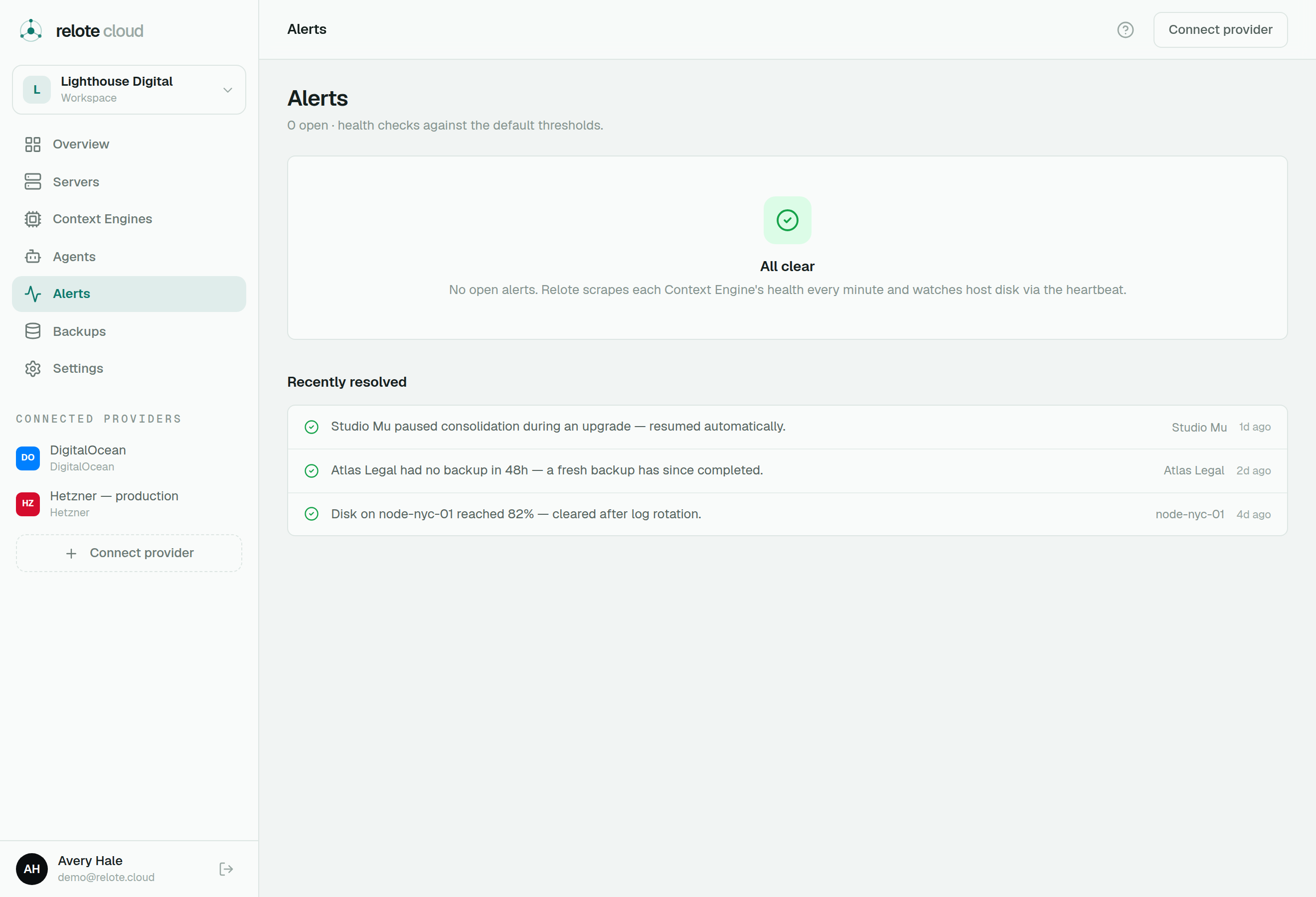
Health & alerts
Relote regularly checks each engine and records basic health signals. When something looks wrong — an engine is unhealthy, a server is low on disk, a backup has gone stale, or an engine has quietly stopped doing its work — it raises an alert.
- The Alerts page lists everything open, with a plain-language recommended action for each.
- Lists flag subjects that look fine on the surface but have an open alert, so nothing slips through.
Alerts are about infrastructure health, never content — Relote is reading status endpoints, not data.
Redeploy
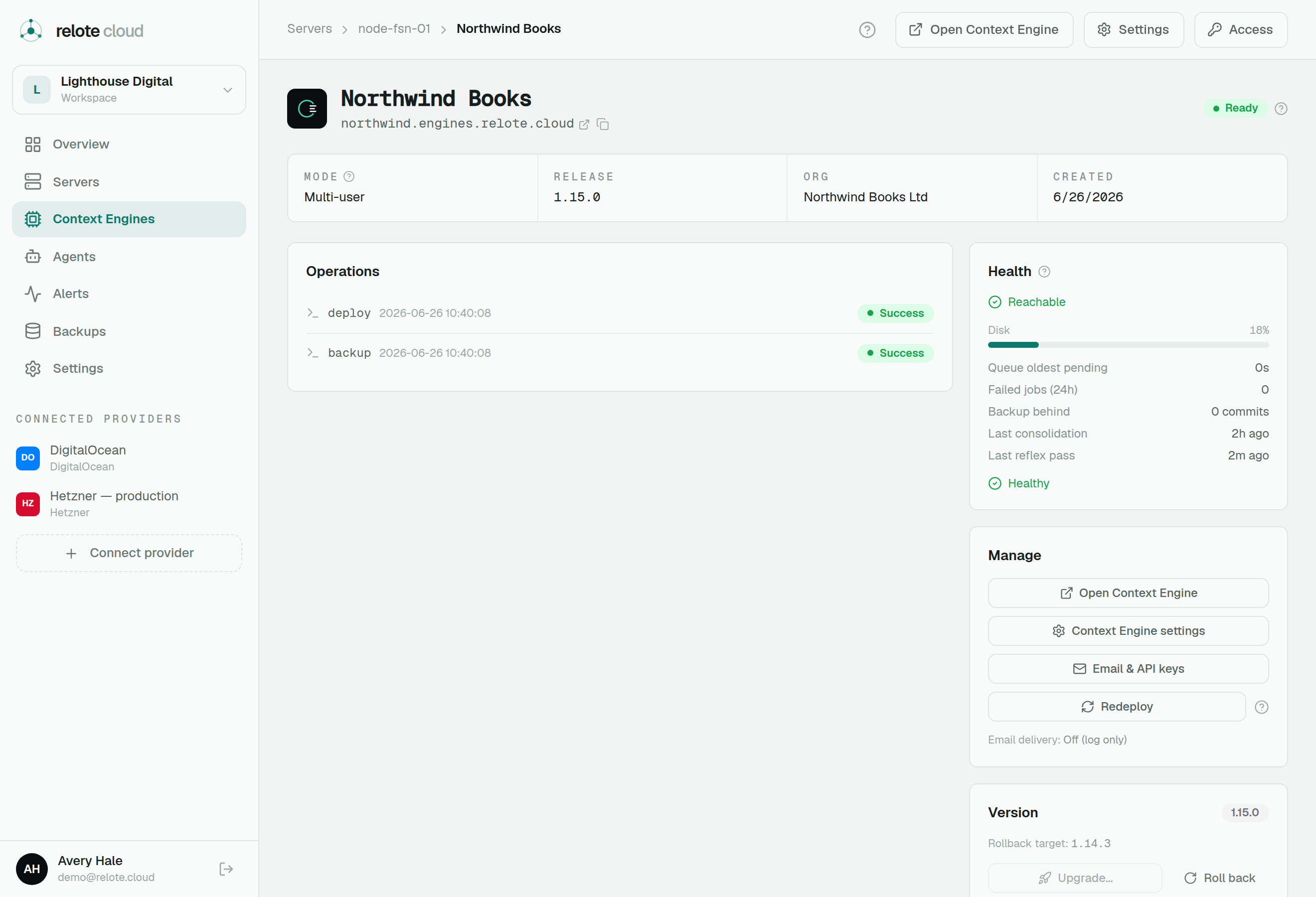
A redeploy re-applies an engine's current configuration — useful after changing settings like its email setup or API keys. It doesn't change the engine's version or touch its data.
Tuning capacity
An engine's container size isn't fixed at deploy. From the engine's Capacity card you can tune its CPU and memory, and its background worker / PHP-FPM counts (plus the Daimon worker count on v2 engines), live — no rebuild, no downtime. The new figures are persisted, so a later redeploy keeps them. This is the day-to-day "small tweaks" work: give a busy engine more headroom, or dial one back to free host capacity. Watch the queue age on the Health card as you go.
Upgrades & rollback
When a new Context Engine version is available within the same generation, you can upgrade an engine to it. Relote does this the careful way:
- It runs a pre-flight check, applies the new release, and health-checks before committing.
- If the new version comes up broken, it automatically rolls back to the previous one — so a bad upgrade doesn't take the engine down.
- You can also roll back manually with one click to the last known-good version.
Crossing generations is different. The Daimon (v2) generation is install-only: there is no in-place upgrade from a v1 engine and no rollback across the boundary. A v2 engine is reached only by a fresh install (moving existing data across is a restore, not an upgrade). The engine's page always shows its current version and the one it can fall back to within its generation.
Lifecycle actions
You can also reboot a server, disconnect or delete servers, and tear down an engine you no longer need. Destructive actions ask you to confirm — usually with a checkbox and by typing the name — because they can't be undone.