Connect a hosting provider
Link Hetzner, DigitalOcean, or your own server so Relote can provision and operate machines for you.
Before you can provision a server, Relote needs a way to create and manage machines on your behalf. That's a provider connection.
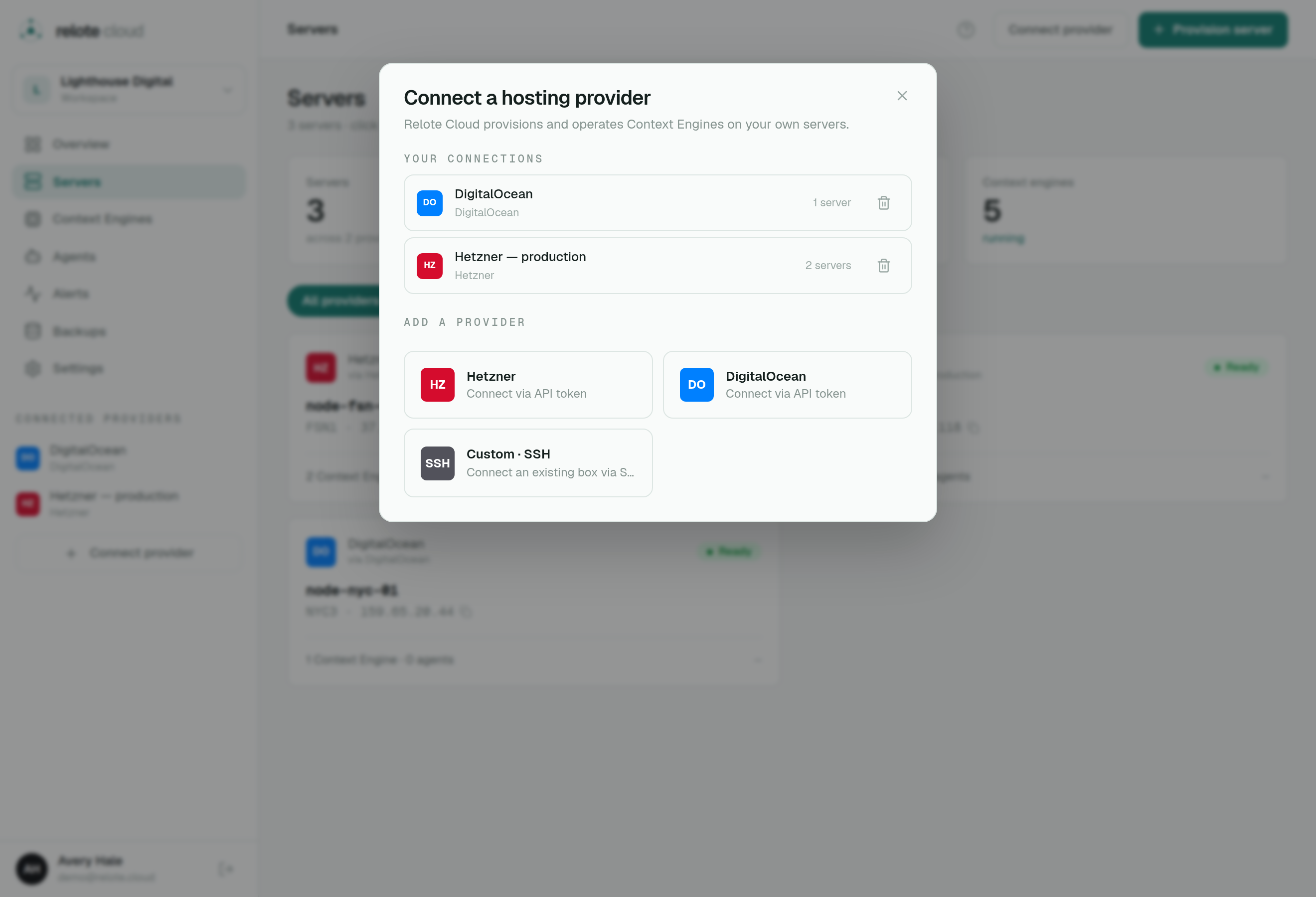
Supported providers
- Hetzner Cloud — paste an API token; Relote can create, reboot and delete servers for you.
- DigitalOcean — same idea with a DO API token.
- Bring your own server (BYO) — already have a machine? Connect it directly. Relote won't create or destroy it; it just installs and operates Context Engines on it.
Connecting
Use Connect provider in the sidebar, choose the provider, and paste the API token. For Hetzner and DigitalOcean, create the token in your provider's dashboard with permission to manage servers.
How your token is protected
Your provider token is a sensitive credential, so Relote treats it like one:
- It's encrypted at rest and never shown again after you save it.
- It's only used to talk to the provider's API (create/reboot/delete servers).
- You can remove a provider connection at any time from the same panel. Existing servers keep running; Relote just loses the ability to create new ones through that provider until you reconnect.
Bring-your-own notes
A BYO server should be a fresh Ubuntu machine you control. Relote will harden it and install everything a Context Engine needs. Because Relote didn't create it, disconnecting or deleting it in Relote never destroys the underlying machine — that stays in your hands.