Backups & recovery
Sealed, operator-opaque backups, where they go, and the two ways to restore — including rebuilding on a fresh server.
Relote backs engines up in a way that protects you and your customer: backups are sealed on the server before they leave it, so what lands in storage is an encrypted blob that Relote can't open.
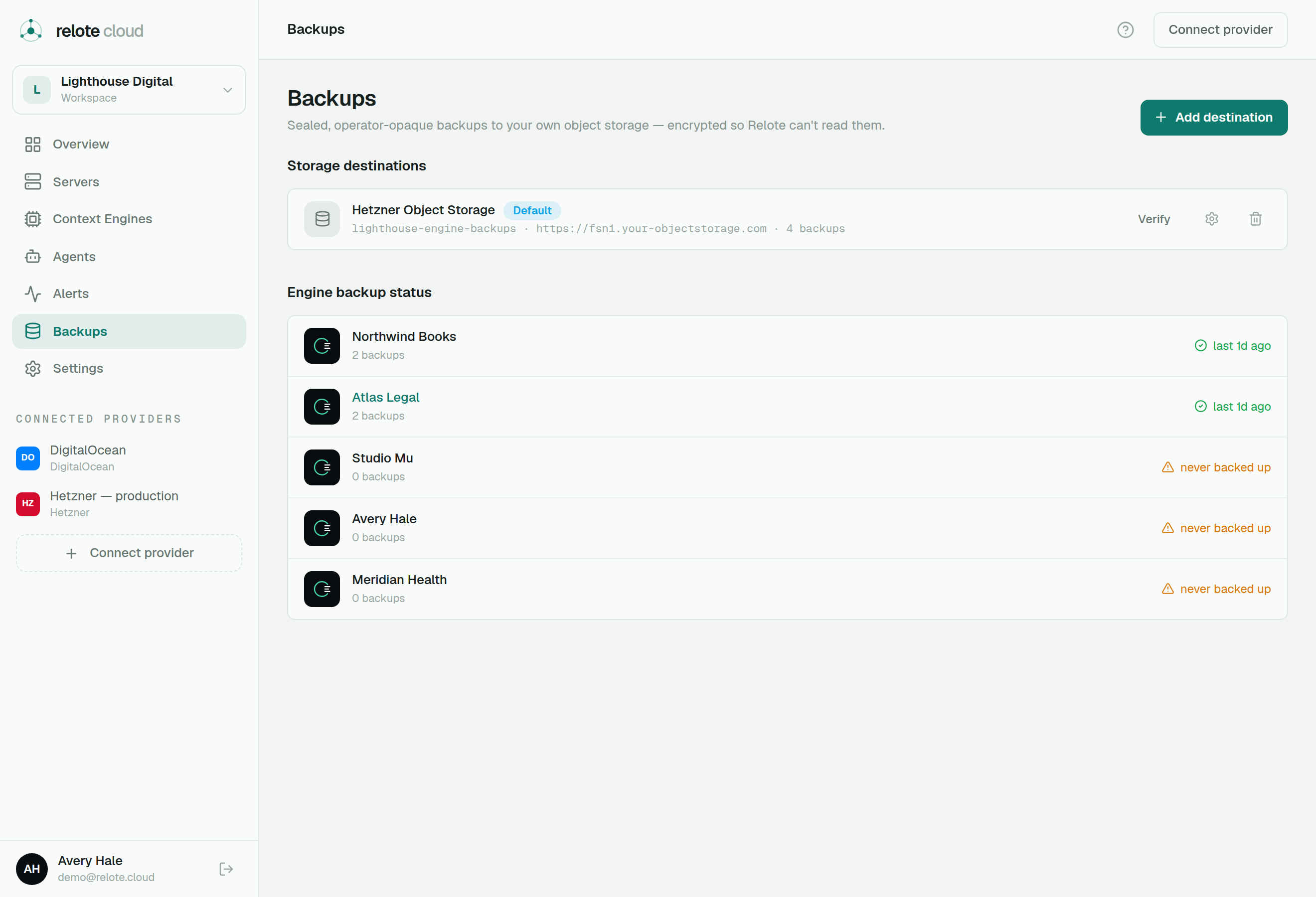
Where backups go
Each workspace points at its own backup destination — an S3-compatible bucket you control (set it up on the Backups page). Relote forwards each engine's sealed backup there. Because the backup is already encrypted with the engine's own key, the storage provider and Relote both only ever see ciphertext.
A durable backup catalogue records every backup — when it was taken, which engine, and the key material needed to recover it — and it outlives the engine, so you can still recover even after an engine is gone.
Scheduled & checked
Backups run automatically on a nightly schedule. Relote also checks regularly that each engine has a recent backup, and raises a stale-backup alert if one falls behind.
Two ways to restore
- In-place restore (rollback) — roll an engine back to one of its own earlier backups. This overwrites the engine's current state, so it's guarded with a checkbox and type-to-confirm. The engine keeps its identity.
- New-instance recovery (disaster recovery) — provision a fresh engine on a server you choose, load a backup into it, and bring it up as a clean replacement. The customer-facing address moves to the new engine. As part of this, the new engine gets a fresh identity and a new recovery key, and the old key is retired.
Recovery keys
Every engine has a recovery key — the secret that can unseal its backups. By default Relote keeps a protected copy in escrow so you can recover even if a key is lost, and you can reveal it from the engine's overview when you need it. Treat it like a master key: anyone with it can open that engine's backups. See Server & engine access for how secrets are handled.